AI Photo to Real - Turn AI Images into Realistic Photos
Turn AI-generated images into realistic photos online free. Remove the AI look, fix plastic skin, and make AI photos look human. No signup needed.
Drop your photo here or click to browse
JPG, PNG, WebP up to 20MB · No watermark · 2s generation
See It in Action
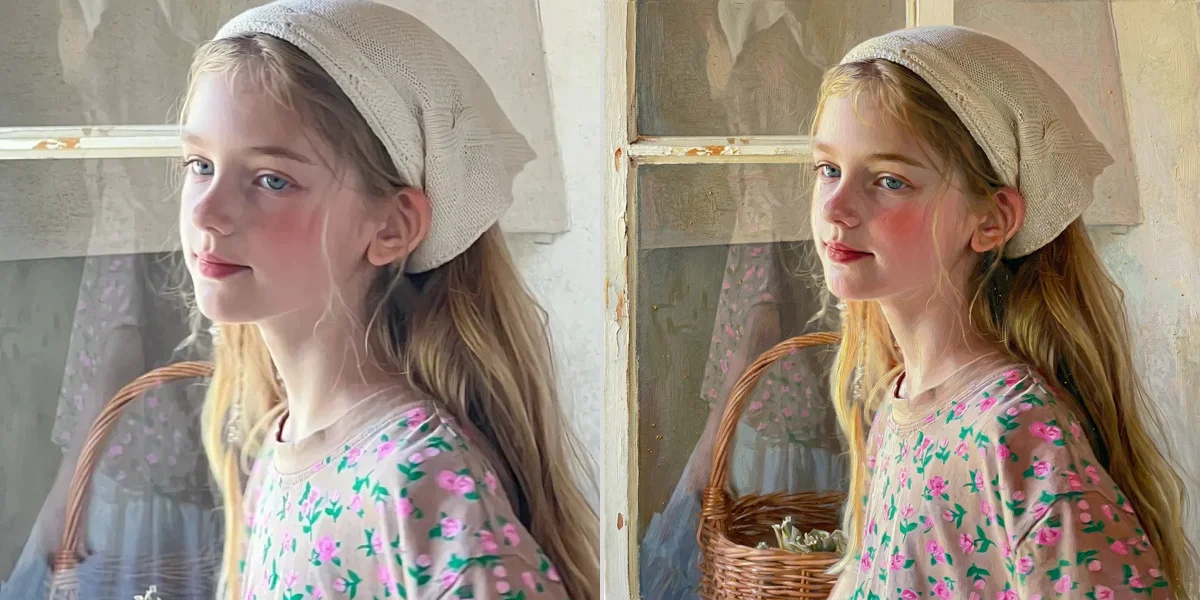
Drag the slider to compare before and after
AI look → realistic photo
Plastic skin and unnatural lighting are fixed to look human.

How It Works
Why use SeedPix for this?
Turn AI-generated images into realistic photos online free. Remove the AI look, fix plastic skin, and make AI photos look human. No signup needed. Our AI runs on state-of-the-art image editing models with a purpose-built instruction baked in. The model keeps the exact subject, pose, framing, and composition while re-rendering natural detail. You upload, click once, and download a photo that looks like it was never edited.
Frequently Asked Questions
How do I turn an AI image into a realistic photo?+
Upload your AI-generated image and click one button. The AI removes the AI look - fixing skin texture, lighting, and artifacts.
Can I remove the AI look from photos?+
Yes. The AI detects common AI artifacts like plastic skin, waxy texture, and unnatural lighting, then regenerates realistic pixels.
Does it work on AI portraits?+
Yes, AI portraits are the most common use case. Fix skin, hair, and eyes to look natural.
Can I make AI images undetectable?+
Our tool makes AI images look more realistic, which can help them pass as human-created. Use responsibly.
What formats are supported?+
JPG, PNG, and WebP files up to 20MB.
Is it free?+
You get 5 free credits on signup plus 1 daily credit. Costs 10 credits per image.
Ready to make ai images look like real photos?
Upload your photo above and get results in one click. No prompt writing, no original file needed.